

Unlock T Mobile REVVL Tab Phone with 100% money back guarantee.
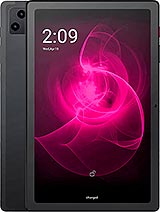
Unlock T-Mobile REVVL-Tab Phone | Unlock Codes for T-Mobile REVVL-Tab Phone
Important - Select the Current Network your T-Mobile REVVL-Tab phone which is Locked. Do NOT select the network you want to use.
At Unlocking360.com we provide you with all kinds of unlocking codes for T-Mobile REVVL Tab phones. These codes can be -
NCK – Which is a network unlock code to unlock sim lock.
Unfreeze/MCK – which is a code to reset phone freeze, when too many wrong codes are entered
SPCK – Which is a service provider code to reset second level of lock.
Unlock T-Mobile REVVL Tab phones with us. We provide instant unlock codes for T-Mobile REVVL Tab mobile. We are the best phone unlocking service you can find.
How to enter an Unlock Code for T-Mobile REVVL Tab Phone
It is rather simple to enter the unlock code in T-Mobile REVVL Tab Phones.
First, enter a different sim card in your T-Mobile REVVL Tab Phone and switch it ON.
You should see an unlock window on your T-Mobile REVVL Tab screen.
For SIM network unlock pin, enter the codes in the folloREVVL Tab order, Unfreeze confirm, NCK confirm. Please try couple of times if it doesn’t accept it on the first go.
Sometimes, an RGCK (regional lock code) code is provided. You need to use the RGCK code in the same way as the NCK code.
If you receive the Service provider pin, you need to enter the codes in this order
Unfreeze confirm, SPCK confirm
Your T-Mobile REVVL Tab phone will now be network unlocked !!! and ready to use.
Benefits of Unlocking your T-Mobile REVVL Tab Phone
Freedom from Network
The first and foremost benefit of unlocking your T-Mobile REVVL Tab Phone is that you won’t be bound to any specific network anymore. You can freely change your network operator and enjoy the services.
No Contracts
When a seller sells you a phone with a contract, it is primarily to ensure that the company ends up making more money. And the best part is you can get the same plan on your phone even after unlocking it. Hence, by unlocking your T-Mobile REVVL Tab phone, you can get rid of a contract.
Hassle-free travel
When you’re travelling overseas and have a locked phone with you, you’re going to rack up massive roaming charges. Once you’ve got your T-Mobile REVVL Tab phone unlocked, you can use any of the local sims from the country you are travelling to and you are sorted.
Frequently Asked Questions:
Can I unlock my T-Mobile REVVL Tab Phone if the Software has been modified?
Although we do assure you that our process of unlocking T-Mobile REVVL Tab cell phones will work with all original software and future updates, we do not take responsibility in case the phone’s software has been modified in any way. You will have to restore the phone to factory settings and be prepared for the possibility that some of its key components might get altered in the process of unlocking it.
Do I need a SIM card to unlock my T-Mobile REVVL Tab Phone?
Yes, one of the key pre-requisites for completely unlocking your T-Mobile REVVL Tab phone is to insert a SIM card from a different network. Without a SIM card of a different network, the phone will not prompt for the unlock code and unlocking it won't be possible.
Is there a maximum number of attempts in which I can unlock my T-Mobile REVVL Tab Phone?
T-Mobile REVVL Tab phones do not have a maximum number of unlocking attempts pre-defined. But, if the lock code is typed incorrectly repeatedly the phone will 'freeze'. To reverse this, you will need to type in the Defreeze code (MCK code), which is included with our T-Mobile REVVL Tab Premium Service, and then re-type the unlock code to unlock the phone.
How can I find out if my T-Mobile REVVL Tab phone is eligible to be unlocked or not?
You can find out whether your T-Mobile REVVL Tab phone is eligible to be unlocked or not via your IMEI number. Kindly submit the required details in our T-Mobile REVVL Tab phone unlocking form along with your T-Mobile REVVL Tab phone's IMEI number. You will get the information instantly whether your T-Mobile REVVL Tab phone is eligible to be unlocked or not.
What all do I need to Unlock my T-Mobile REVVL Tab Phone?
You will only need an Internet connection and an e-mail address to receive your unlock code and instructions to unlock your T-Mobile REVVL Tab Phone. You will have to type the unlock code after typing your PIN when the phone prompts for the unlock code.
I purchased my T-Mobile REVVL Tab phone from abroad, can I use it with any network?
Of course! After unlocking network of your T-Mobile REVVL Tab Phone, you can use any network in your T-Mobile REVVL Tab Phone. The IMEI network unlocks from Unlocking360.com are unrestricted, permanent, and global.
How do I find my T-Mobile REVVL Tab phone’s IMEI number?
Finding your 15-digit IMEI number is quite easy. The quickest method is to dial *#06# on your T-Mobile REVVL Tab phone, which will show the number on the screen. You can also find it by navigating to Settings > About device > Status > IMEI number.
Can I unlock my T-Mobile REVVL Tab phone without losing any data?
Yes, With the help of unlocking360.com, you can unlock T-Mobile REVVL Tab phone without losing any data. This is main advantages of unlocking your T-Mobile REVVL Tab phone with Unlocking360.com.
Does phone unlocking void my T-Mobile REVVL Tab phone warranty?
No. Unlocking T-Mobile REVVL Tab Phone by Unlock code will not void the warranty of T-Mobile REVVL Tab phone. Our T-Mobile REVVL Tab phone unlock codes do not interfere with your T-Mobile REVVL Tab handset in any way. You just need to enter the unlock code and you’ll be able to use any network worldwide and it never void the on-going warranty of the handset or anything else.
Will I be able to use any SIM card in my T-Mobile REVVL Tab Phone?
You will be able to use any SIM card or Network worldwide after entering the T-Mobile REVVL Tab unlock code in your device successfully which we provided you via email. This means you can use any local SIM card in your T-Mobile REVVL Tab phone worldwide.
How long does the T-Mobile REVVL Tab unlock process take usually?
If your device is eligible for unlocking, The T-Mobile REVVL Tab unlock process generally takes 24 to 72 hours, in some cases we’ll have your phone unlocked from T-Mobile REVVL Tab instantly, and in some cases it may take a little longer.
Is the T-Mobile unlock on my phone permanent?
Yes, after completing T-Mobile unlock process, T-Mobile unlock on your T-Mobile REVVL Tab phone will be permanent. You will be able to use your phone as normal.
What happens if my phone is locked to a carrier other than T-Mobile?
We not only provide unlocking services for T-Mobile, we also provide unlocking services for a huge number of other carriers worldwide.
How to unlock a T-Mobile REVVL Tab phone to any network?
To unlock a T-Mobile REVVL Tab device Network, you need T-Mobile Network unlock code. To generate network unlock code for your T-Mobile REVVL Tab phone, you just need to submit our unlocking code generating form & complete the unlocking process. With the help of unlocking360.com, you can generate unlock code for T-Mobile REVVL Tab Phone hassle free. After submitting unlock code generating form, you will receive unlock code on your email id. After receiving unlock code, insert a SIM card from a different carrier into your T-Mobile REVVL Tab phone and enter unlock code when prompted. Your T-Mobile REVVL Tab phone should now be unlocked and ready to use on any network.
Disclaimer:
Please note that all products, company names, logos, and service marks (collectively the "Trademarks") displayed are registered® and/or unregistered trademarks™ of their respective owners. Unlocking360 is not associated with or sponsored by T-Mobile. The authors of this website are not sponsored by or affiliated with any of the third-party trademark or third-party registered trademark owners, and make no representations about them, their owners, their products, or services. Our application is a third-party service that specializes in providing device unlock services for various phone brands and models, including but not limited to T-Mobile.
All T-Mobile Models We Unlock
Accepted To Payment Mode
